English


We carry a wide spectrum of laptops built for every kind of user, from efficient work systems like Dell Latitude and Inspiron series to performance‑ready machines with larger RAM and fast storage options. You’ll find configurations with Intel Core i5 and i7 processors, 8GB up to 16GB RAM, and storage ranging from 240GB SSD to 1TB SSD among our offerings.
What Does That i5 Versus i7 Difference Mean for You
Intel’s Core lineup might sound like alphabet soup but think of it as deciding how much muscle you need under the hood. Core i5 processors strike a balance between everyday responsiveness and energy efficiency. They handle spreadsheets, video calls, writing, and even casual photo work with ease. Core i7 chips go a step further with more cores and higher clock speeds, helping with heavier multitasking, large spreadsheets, and creative workloads like light video editing.
Imagine a packed bus versus a slightly bigger one. The bigger one will take more people without slowing down. That’s effectively what a Core i7 does compared to an i5. Most modern professional laptops on the market come with i5 as the baseline for productivity and i7 as the upgrade for demanding workflows.
There is a tradeoff in price. i7 laptops cost more because they are built to push limits more consistently, but for those who frequently run multiple demanding applications, the premium translates into smoother experiences.
Why RAM Still Matters More Than You Think
If a processor is the muscle, RAM is the working table where tasks get sorted. More RAM means more applications can actively live in memory without slowing things down.
Ask yourself what kind of work you’re doing:
- Light multitasking like documents and email easily fits in 8GB of RAM.
- For heavier workflows such as dozens of browser tabs, spreadsheets with complex formulas, or even casual design tools, 16GB becomes more comfortable.
- Beyond that, you enter territory beneficial for professionals who keep ten or more apps open simultaneously or run virtual machines.
Some of our Dell Latitude and Inspiron models pair larger RAM with faster SSDs, giving you both short task response time and smooth juggling between tasks without lagging.
Making Sense of Storage: SSDs, Space, and Speed
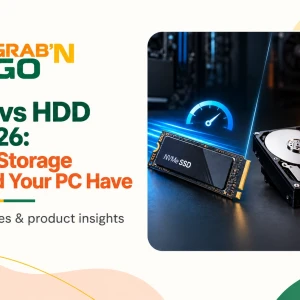
Hard drives used to be the norm but solid‑state drives (SSDs) are the standard now—especially in machines designed for professional productivity. An SSD reduces boot times, lowers file‑opening delays, and generally feels more responsive across day‑to‑day tasks.
With laptops featuring storage like 240GB, 500GB and up to 1TB SSD, you get choices depending on how much you store locally. If you keep most documents, videos, and photos in cloud services, smaller SSDs can be sufficient while offering snappy performance. If you handle large media libraries or local databases for work, you’ll feel the benefit of larger SSD capacities.
Pick the Right Configuration for Your Workflow
Rather than chasing the highest specs blindly, think about what you actually do on the machine. Below is a broad sense of how typical users might pick:
Perfect for writing, browsing, video conferencing, and light multitasking with dependable speed.
Feels noticeably smoother with heavier multitasking, larger files, and more demanding workflows in spreadsheets or creative tools.
Ideal for professionals who keep many tasks open at once, handle media editing, or need extra space without an external drive.
And if mobility matters to you, there’s a good reason many professionals value lightweight laptops with solid performance because they carry them from meeting to meeting. Even a compact, slim machine can outperform bulkier counterparts when it’s configured with the right balance of CPU, RAM, and fast storage.
Portable Workflow Without Compromising Performance
There is a growing trend toward feather‑light laptops that still deliver power. Smaller screens and thin chassis don’t automatically mean weak performance. With efficient i5 processors and SSD storage, a lightweight machine can be as capable as a heavier one with a spinning hard drive.
This shift has made certain ultraportable models particularly popular with professionals who travel, work in cafes, or simply prefer sleek designs without sacrificing reliability. A lightweight laptop with balanced specs can handle office suites, research tabs, and multitasking just as well as a heavier model with outdated storage tech.
Choosing storage and RAM that align with your workflow means you don’t end up with a fast processor that’s bottlenecked by slow drive speeds or insufficient memory. That synergy is what makes computing feel seamless.
Real World Choices From Our Collection
From the robust Dell Latitude 5340 with 16GB RAM and 500GB SSD to models like the Dell Latitude 3410 with 8GB RAM and 240GB SSD, there’s variety in what we offer to match different professional needs.
Both new and well‑inspected pre‑owned systems give you options at different price points. Pre‑owned laptops often present excellent value when you want dependable performance without paying full price for new hardware.
They come with processors ranging from i5 to i7 with suitable RAM and SSD combinations, making them ideal for professionals on a budget or those upgrading from older gear. A well‑chosen pre‑owned system can feel nearly as responsive as a brand new one with the right specs. This approach helps people stretch their budgets further without losing productivity.
Performance Harmony: Beyond the Numbers
Specs on a sheet—processor speed, RAM size, storage capacity—only tell part of the story. Real productivity comes when those pieces are harmonised. A mid‑range processor paired with adequate RAM and SSD often outperforms a top‑end CPU stuck with insufficient memory or slow storage.
If you mostly juggle browser tabs, cloud tools, and office documents, you might not notice large differences between some i5 and i7 machines in everyday use. But when the workload grows, that extra processing headroom and memory bandwidth become very apparent.
Professional workflows that involve heavier data manipulation, large spreadsheets, or multiple virtual meetings benefit from that headroom.
Making It Work For You
Investing in the right laptop is like choosing a reliable partner in your daily work. Matching processor power, memory size, and storage type to your routine avoids missteps like buying more than you need or falling short in performance. And because configurations vary widely—every work style has an ideal balance—you can choose a machine that feels like an extension of how you work.
Whether you lean toward the steady performance of an i5 or the extra thrust of an i7, ensuring you have enough RAM and fast SSD storage is key to a smooth computing life. The sweet spot often lies where performance, portability, and pricing intersect.
Explore what’s available and feel the difference a well‑matched configuration makes as you dive into your tasks again and again. We’re here to help you find that balance between power and practicality with laptop options that meet the demands of today’s dynamic professional world.
Explore the full range of new and pre-owned laptops at Grab and Go. We help you find the right balance between performance, durability, and value.