Shop by Category

Welcome to Grab n Go!
 English
Jul 24, 2026 / By Grab n Go Admin / in Ecommerce
Why Laptop Specs Matter More Than Brand Name
Brand loyalty is understandable but often misplaced when buying a laptop. A Dell with weak specifications will underperform a well-specified HP every time. A Lenovo ThinkPad with 4GB RAM and an HDD will feel slower than an ASUS with 8GB RAM and an SSD despite being a nominally more premium brand.
The three specifications that define actual daily performance are RAM, CPU generation, and storage type. Everything else (screen quality, port selection, build material, weight) matters for comfort and longevity, but these three determine whether the machine does its job quickly or makes you wait.
[LINK-PILLAR: A full understanding of laptop specifications sits at the foundation of evaluating any pre-owned laptop purchase, from condition grading to long-term value assessment]
RAM is the most commonly misunderstood specification in laptop buying, partly because its name, Random Access Memory, offers no intuitive explanation of what it does.
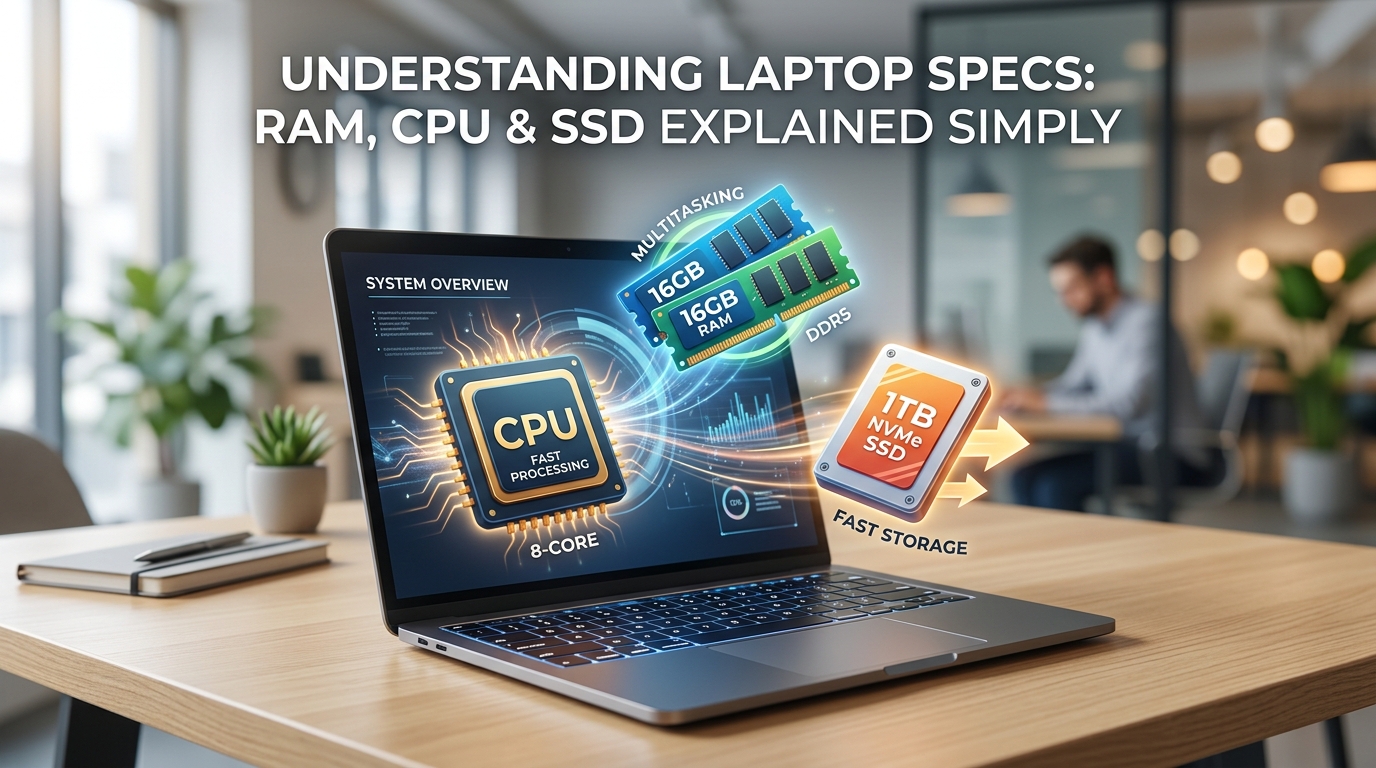
Think of RAM as the physical desk space where active work happens. Every application open on a laptop, every browser tab loaded, every file being edited occupies a portion of that desk. When the desk fills up, the computer starts using storage as a slow substitute (a process called paging) and performance degrades noticeably.
RAM type also appears in spec listings. DDR4 is the current mainstream standard. DDR5 offers higher bandwidth and appears in newer machines. For most productivity workloads, the difference between DDR4 and DDR5 is less important than having enough RAM in the first place.
Among the pre-owned laptops on grabandgo.lk, the Dell Latitude 7390 at Rs. 85,000 stands out specifically for offering 16GB DDR4 at a price point where 8GB is the norm.
The CPU (Central Processing Unit) is the processor that executes every instruction the laptop runs. Web pages render, spreadsheet formulas calculate, video frames decode, and application logic runs because the CPU handles it.
Two things matter most when reading CPU specifications: the brand and generation, and the performance tier within that generation.
Generation refers to which manufacturing cycle the processor came from. Intel labels these numerically: 6th Gen, 8th Gen, 10th Gen, 13th Gen. Each generation brings improvements in processing efficiency, integrated graphics performance, and power consumption. In practical terms, an 8th Gen Intel Core i5 handles Windows 11, Office, browser sessions, and video calls comfortably. A 6th Gen i5 does the same tasks slightly less efficiently and draws more power doing it. The jump from 8th to 10th or 12th Gen is noticeable for intensive tasks but modest for everyday productivity.
Performance tier within a generation is the i3 / i5 / i7 / i9 hierarchy:
The CPU cannot be upgraded in most laptops after purchase. It is the one specification worth getting right at the point of buying. Across the grabandgo.lk pre-owned inventory, the Dell Latitude 3410 with a 10th Gen Core i5 and the Dell Precision 3520 with a Core i7 represent the newer-generation and higher-tier ends of what is available.
[LINK-NEXT: Once the core specifications are clear, the next practical question is what a given budget actually buys in the Sri Lankan laptop market and which specific models represent the best value at each price point]
Storage type has a more immediate impact on the perceived speed of a laptop than almost any other specification. A laptop with a fast processor and ample RAM but a spinning hard drive (HDD) will feel dramatically slower than a machine with a more modest processor paired with a solid-state drive (SSD).
The reason is access speed. An HDD reads data by physically moving a mechanical arm across a spinning magnetic platter. An SSD stores data on flash memory chips with no moving parts and accesses it electronically. The speed difference is not marginal: it is the difference between a 45-second boot and a 10-second boot, or between an application opening instantly versus watching a loading spinner for three seconds every time.
Among the pre-owned listings on grabandgo.lk, the Lenovo ThinkPad L470, Dell Latitude 3410, Dell Latitude 7390, Dell Latitude 7300, and Lenovo X1 Carbon all ship with SSD storage. The HP 250 G7 at Rs. 74,999 includes a 500GB HDD (generous on storage capacity, but worth factoring into your performance expectations).
No single specification operates in isolation. A machine with 16GB RAM but an HDD will feel slow on file operations regardless of memory. A machine with an NVMe SSD but 4GB RAM will stutter when multiple applications are open. A powerful Core i7 paired with 4GB RAM will throttle on multitasking tasks that a Core i5 with 8GB RAM handles cleanly.
The Sweet Spot for 2026 Productivity: A Core i5 from 8th Gen or above, 8GB RAM minimum, and SSD storage of any type. This combination, across multiple brands and form factors, is what the pre-owned business laptop segment in Sri Lanka offers most reliably in the LKR 55,000 to LKR 90,000 range.
A spec sheet is only useful if you know what it is saying. RAM tells you how much multitasking headroom the machine has. The CPU generation and tier tells you the processing ceiling. The storage type tells you how fast the whole experience will feel from the moment you power on.
The pre-owned laptop listings at Grab and Go on grabandgo.lk include full specifications for every machine, including processor generation, RAM, storage type, and screen size. Filter by processor tier, RAM, or price to find the combination that matches your use case, or reach us at 0777999540 or info@grabandgo.lk to talk through which machine fits your needs before you buy.
Oct 05, 2026 by Grab n Go Admin
Sep 21, 2026 by Grab n Go Admin